For businesses
Turn passing trade into regulars
marchmello puts your restaurant or café in front of local customers, handles app orders, walk-in sales and payments, and gives you a loyalty programme that pulls in customers from every other venue in the network.
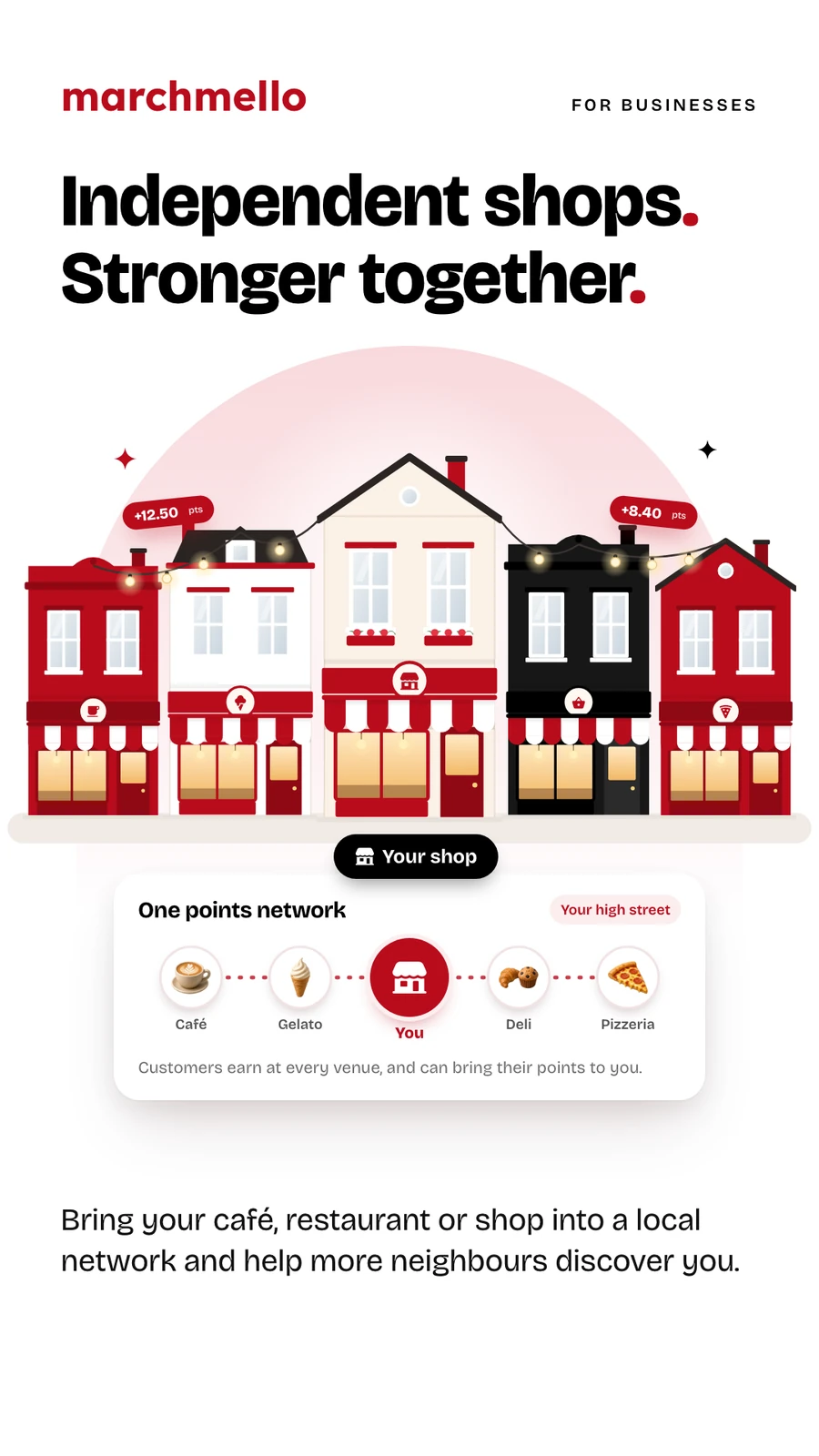
Get discovered locally
Register your business and appear in front of customers browsing nearby — listed under the categories you serve, from burgers to bubble tea, with your menu, photos and hygiene rating front and centre.
Your catalogue, your way
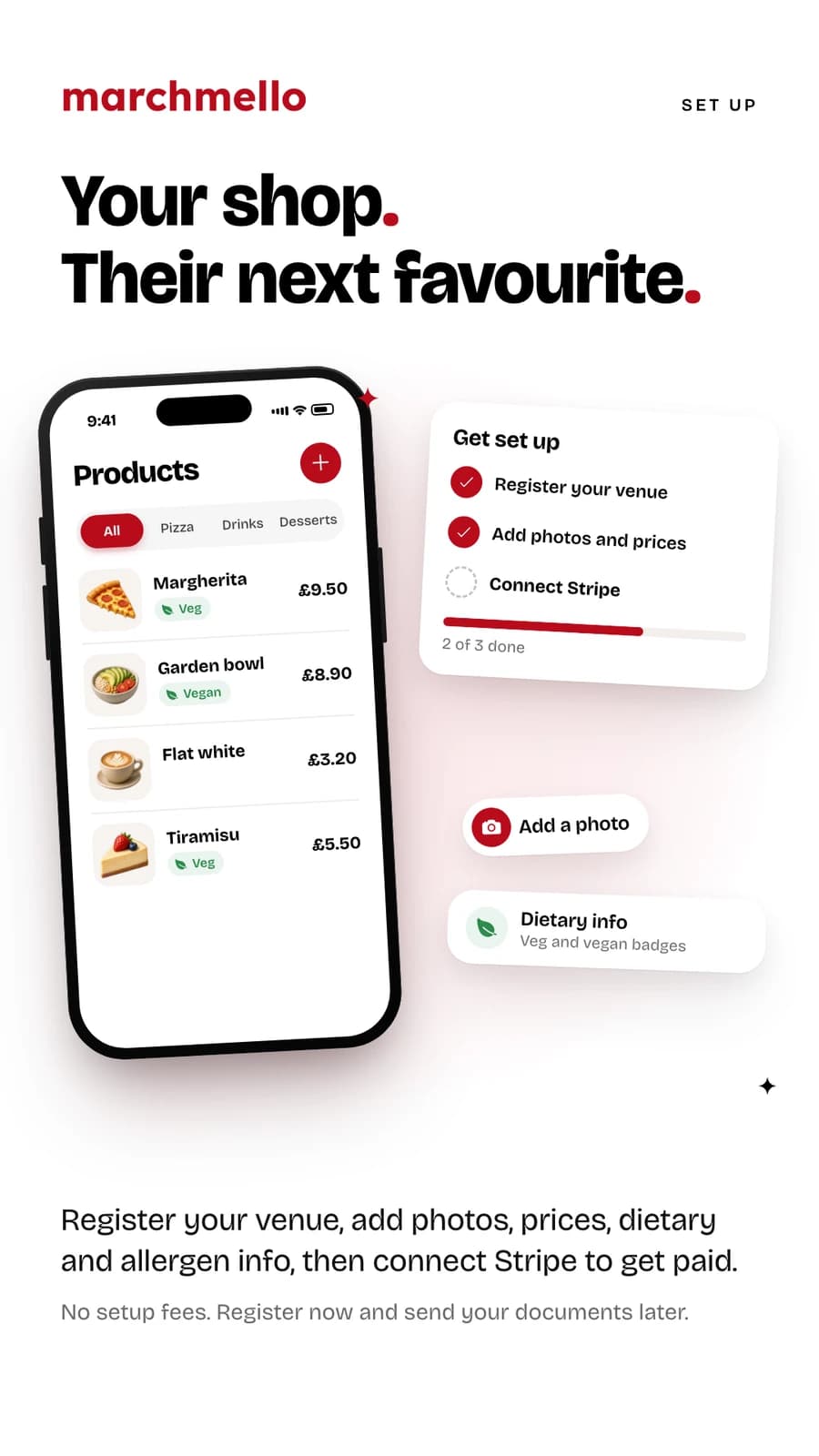
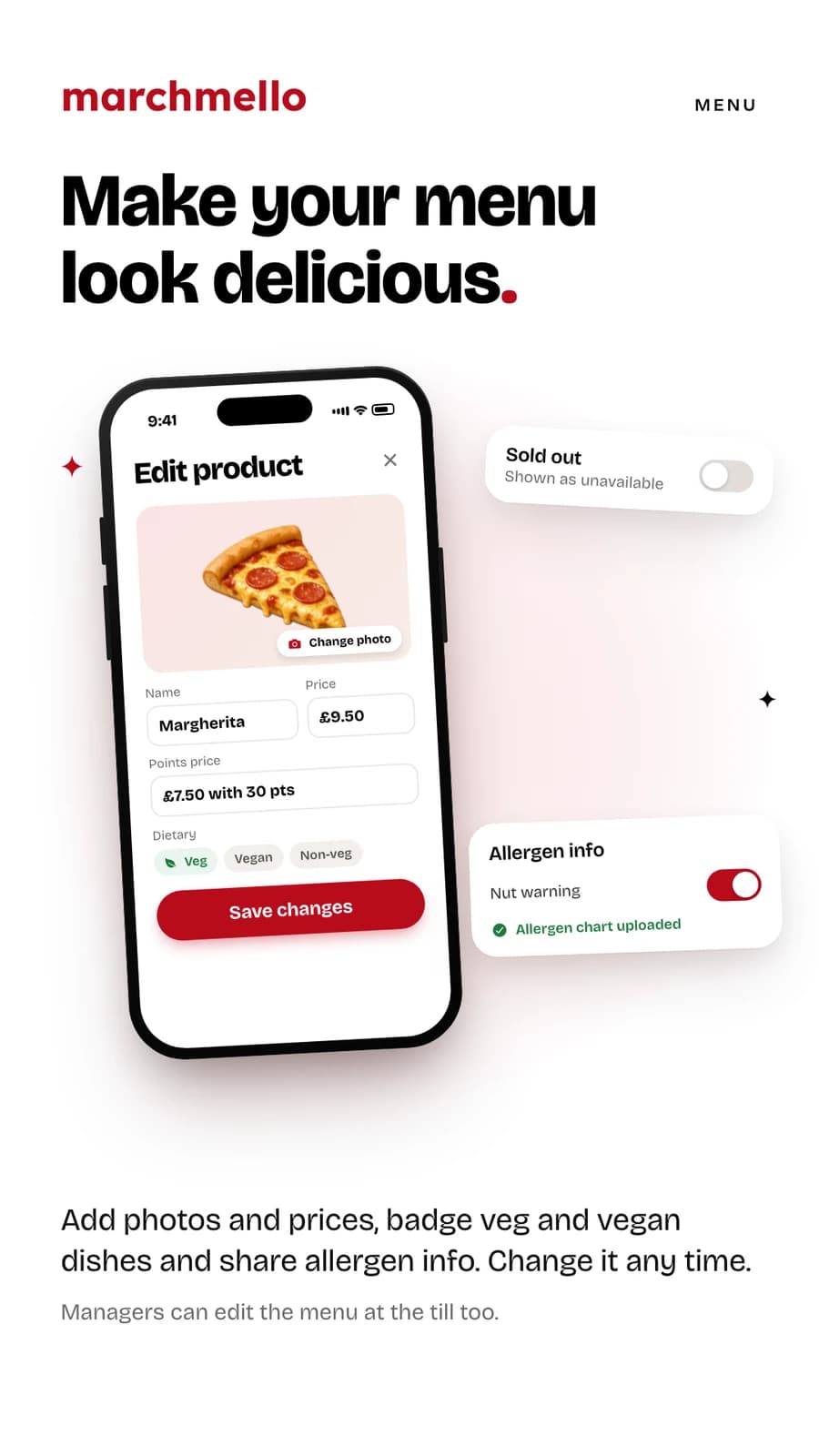
Manage your products with photos, prices and dietary info. Update your menu in minutes, not phone calls.
Allergen info customers can find
Write your allergen notes, upload your allergen chart, and switch on a nut warning that shows across your page — so customers see it before they order, with a button to call you.
Live order management
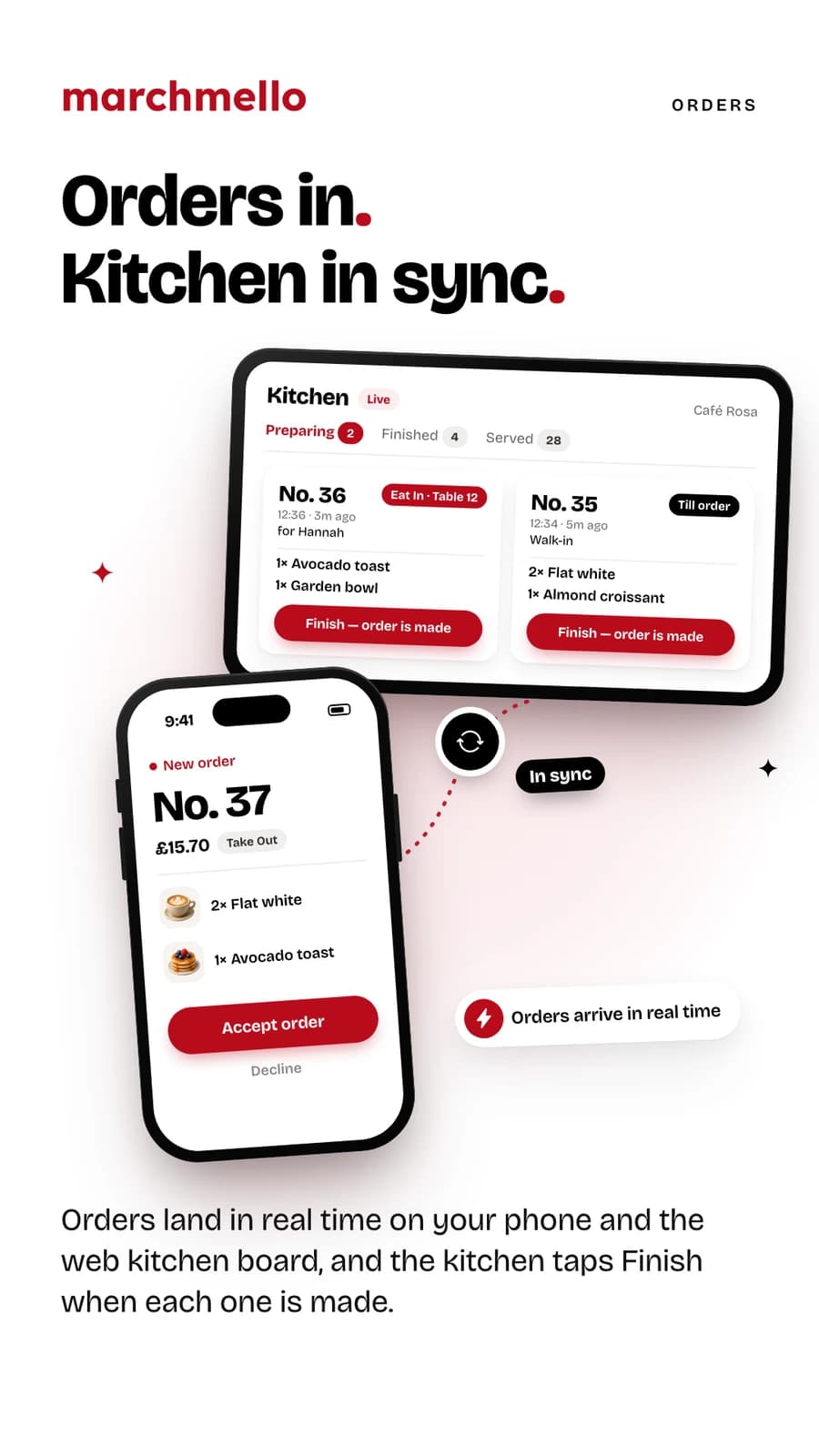
Orders arrive in real time on your phone or on the web kitchen board. Accept and serve at your own pace, auto-accept paid orders if you'd rather, and edit an order at the till when a customer changes their mind.
A till for walk-in customers
Open marchmello.co.uk/pos on any tablet or computer and ring up counter orders from your live menu. They go straight to the kitchen board, you take payment your usual way, and customers earn points with their MELLO code — or spend them, with a PIN from their app.
Managers edit the menu at the till
Give each manager their own 5-digit code. They can add and edit products, mark items sold out and set points prices right from the till — and the app shows you who changed what.
Deliver with your own drivers
Set a flat delivery fee and how far you'll go, or run delivery only as a cloud kitchen. The fee is yours in full with no commission, and you can take cash at the door if you choose.
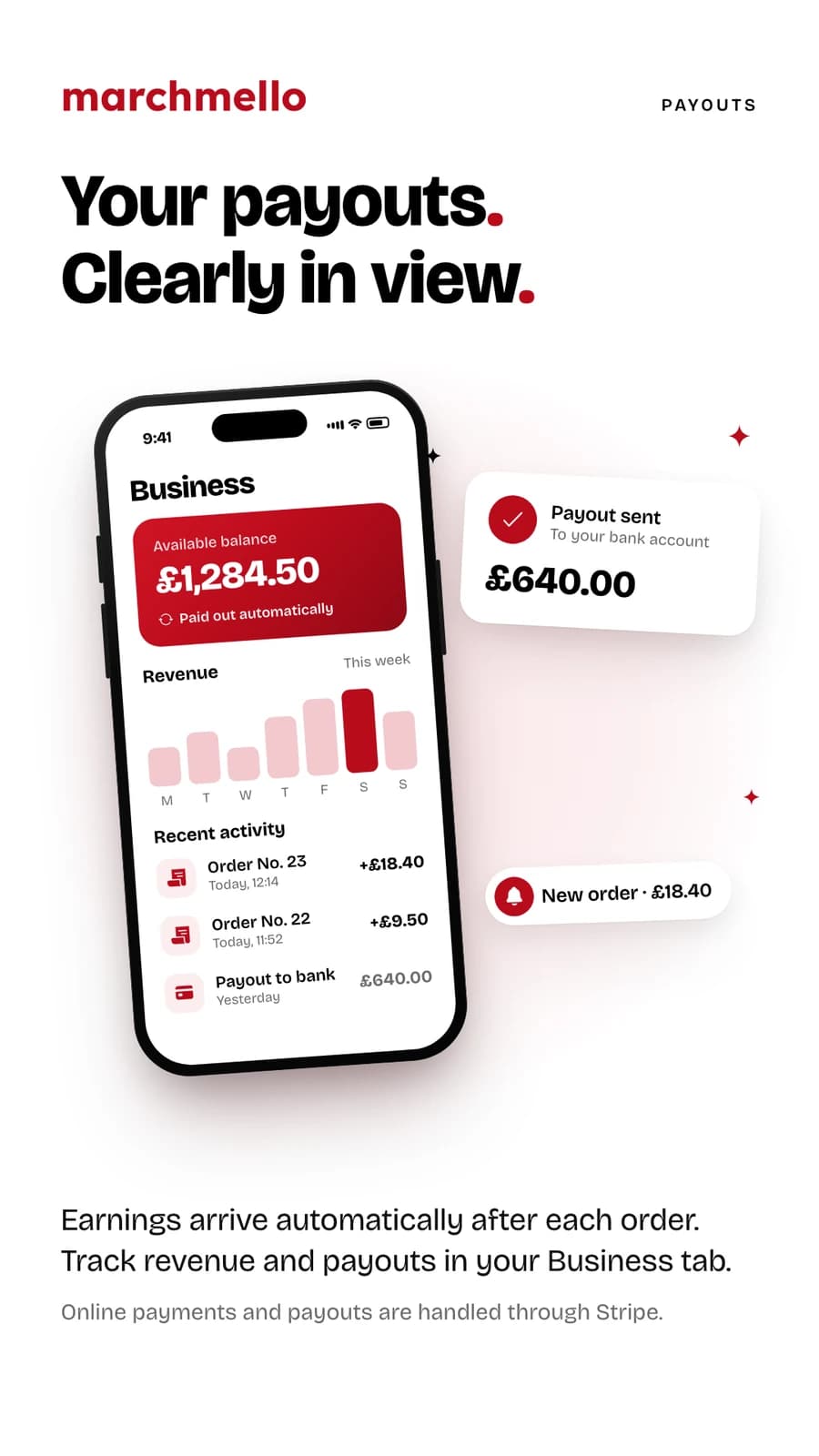
Paid directly via Stripe
Card and Apple Pay payments go straight to you through Stripe — or let customers pay at your counter or your till, where nothing passes through us at all.
A loyalty toolkit, not one lever
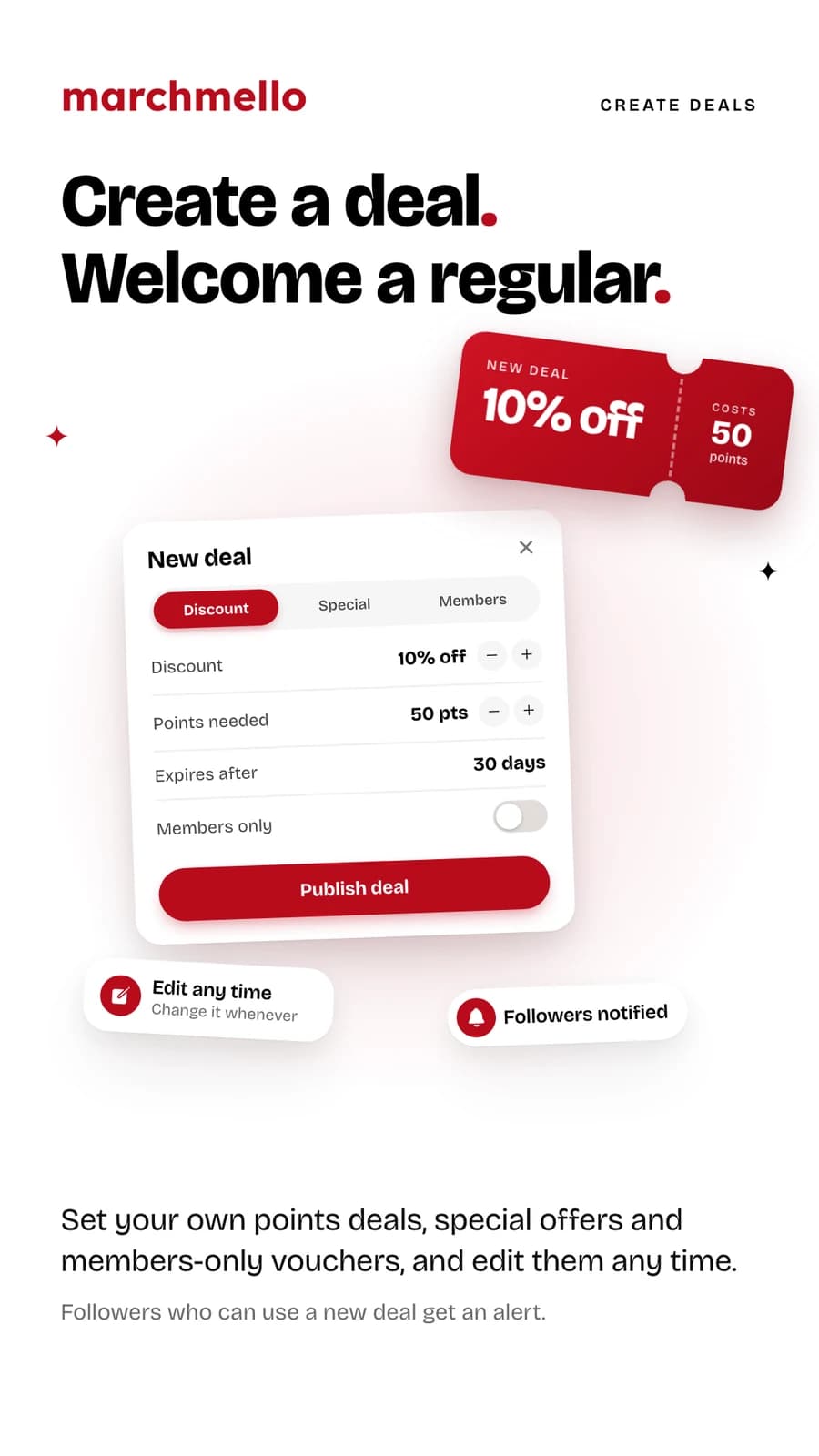
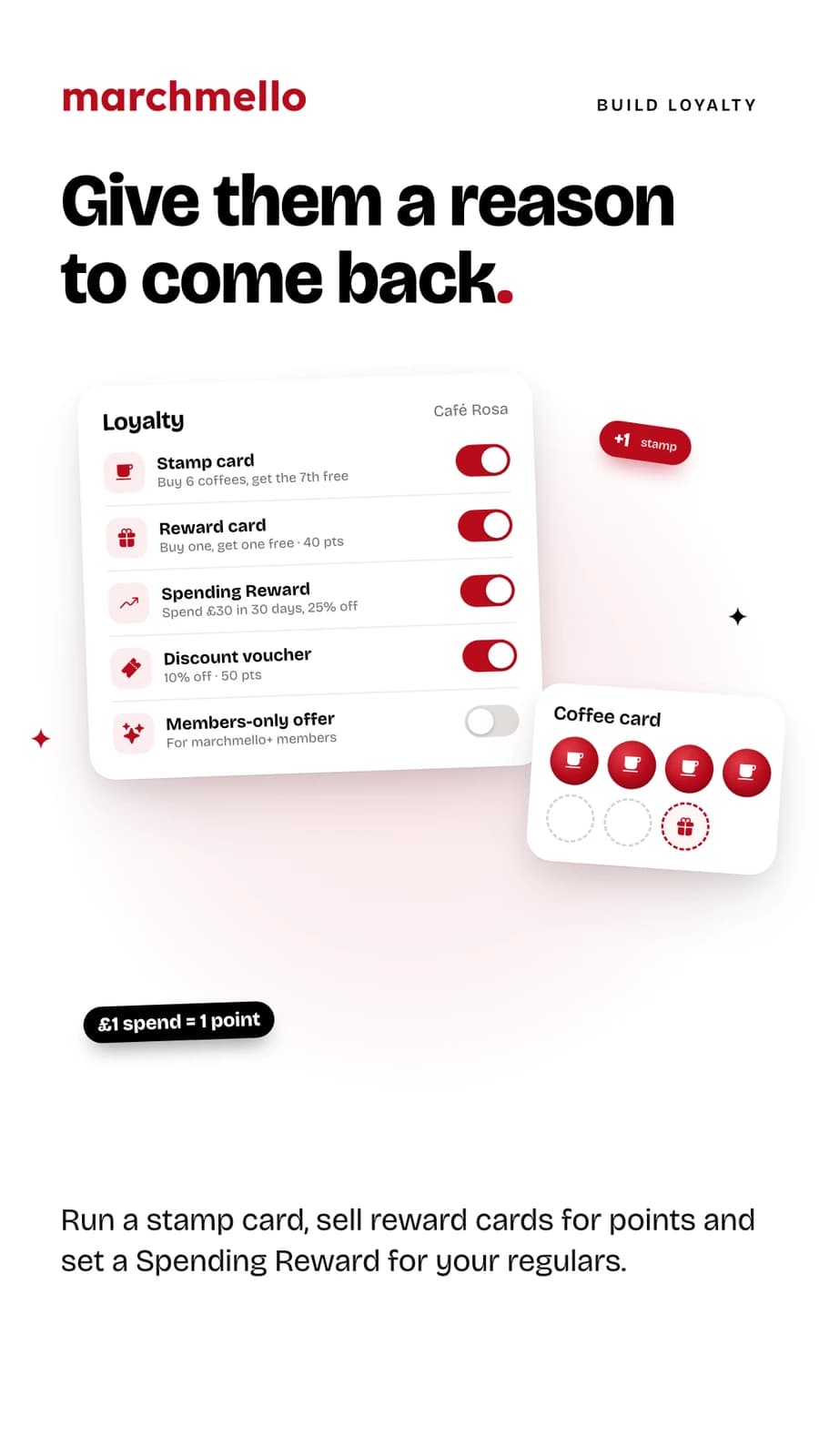
A headline Special Deal, a stamp card (buy 6 coffees, get the 7th free), as many discount vouchers as you like, a members-only offer for marchmello+ subscribers, reward cards like buy-one-get-one-free, and a reward regulars unlock by spending with you — all yours to edit.
Win customers from other venues
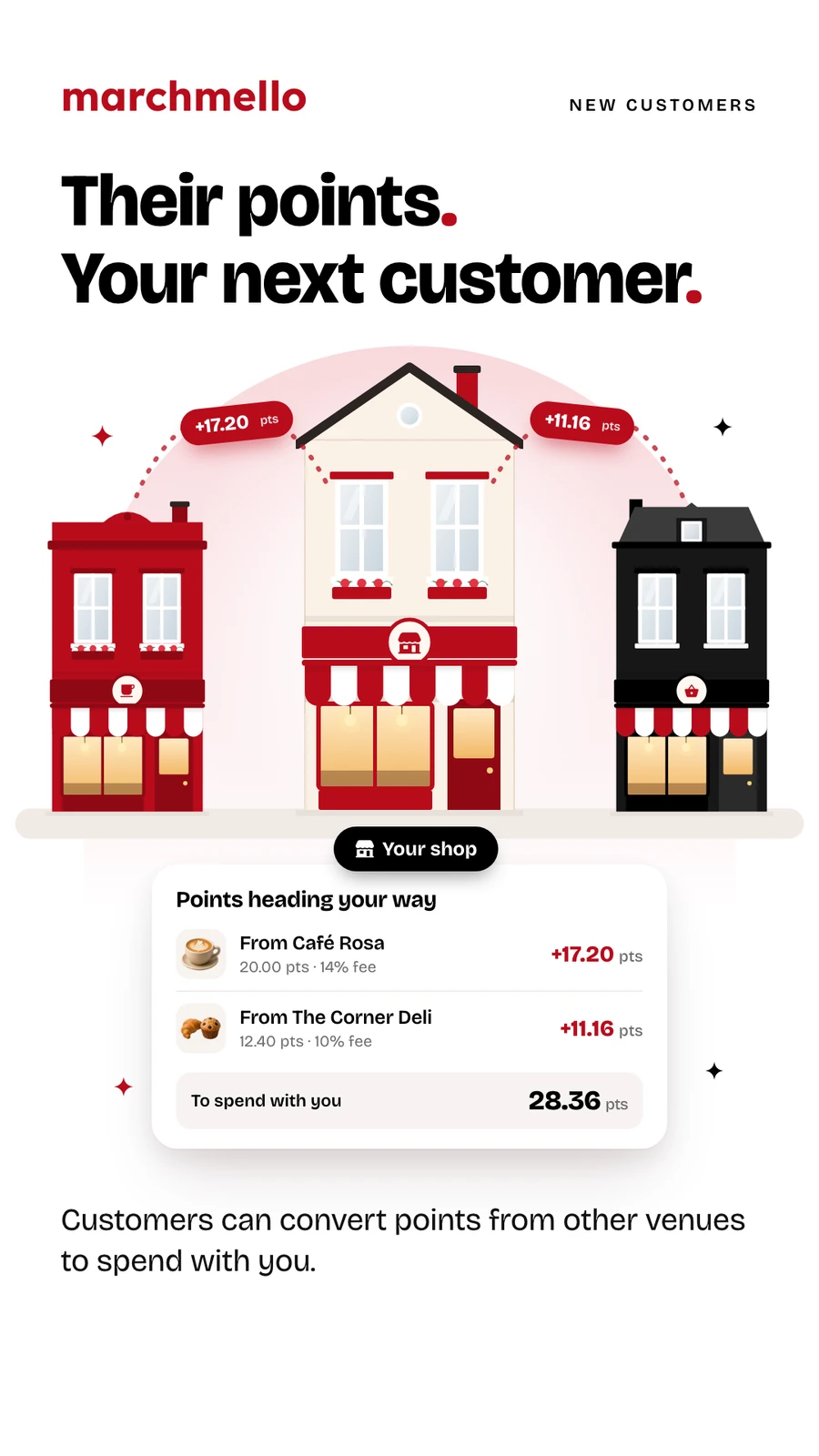
Because points convert across the network, a customer loyal to the café next door can bring their points — and their appetite — to you.
Know where you stand
A web dashboard at marchmello.co.uk/restaurant splits your takings by online and counter payment and exports a sales CSV for your accountant. Payout balances and what you're owed live in the app.
Sell age-restricted items properly
Flag a product as alcohol and the app takes it off online payment entirely — it becomes a counter order, and won't let you take payment or serve until you've recorded an ID check.
Inside the Business area
Everything you need to run your venue
Set up your menu, work live orders, watch your payouts and publish your own loyalty deals — all from the app.
Shop tools
Your till, kitchen board and dashboard, in any browser
Every venue on marchmello gets three web tools: a till for walk-in sales, a live order board for the kitchen and a dashboard for the numbers. Open them on the tablet, laptop or screen you already have. There's nothing to install.
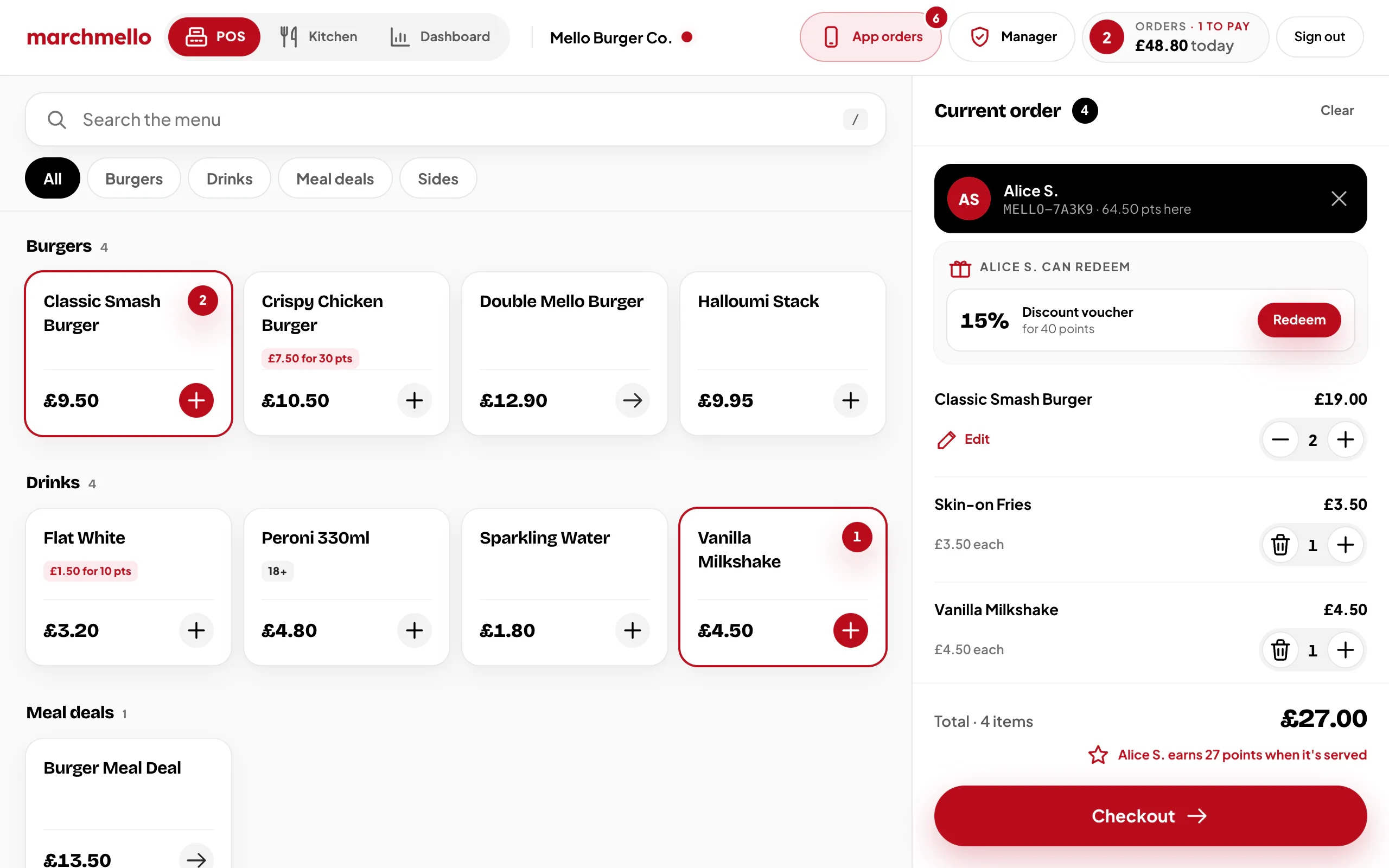
POS Till
Ring up walk-in sales from your live menu on any tablet or computer. Orders go to your kitchen board, you take payment your usual way, and customers who give their MELLO code earn points when the order is served.
- 1
App orders and managers
Orders from the marchmello app chime and light up App orders, without interrupting the sale in progress. Managers edit the menu with their own 5-digit code.
- 2
Your menu as till keys
The menu you manage in the app, as keys by category, with search. A red count shows what's on the order, and sold-out items can't be added.
- 3
Add their MELLO code
Add a customer's MELLO code to see their points with you and the vouchers they can redeem. Spending points or vouchers takes a one-time PIN from their app.
- 4
Checkout, payment, then points
At checkout the order can go straight to your kitchen board. Take cash or card your usual way, tap Payment received, and their points land when it's served.
Staff sign in with your shop's POS code, from the POS Till card on the home page of the marchmello app. The till opens once your venue is approved.
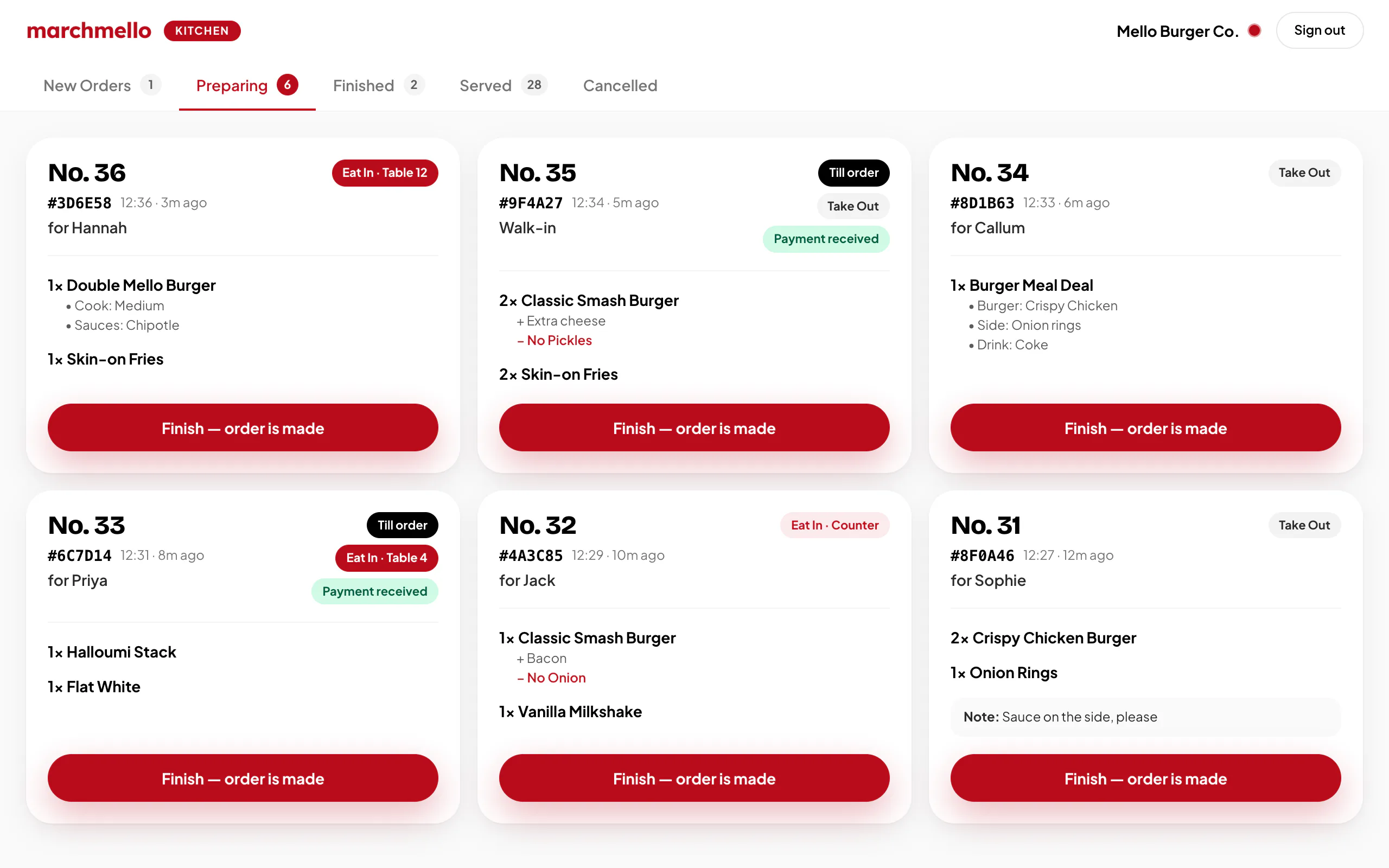
Kitchen board
A live order screen for your kitchen. Orders from the app and sales sent from your till appear on any device with a browser, and the kitchen taps Finish when each one is made.
- 1
Orders by stage
New, Preparing, Finished and Served, each with a count. The board updates itself every 5 seconds, so nobody has to refresh it.
- 2
Numbers staff call out
Each ticket leads with the day's order number, then badges for table service, take out and till sales, so everyone knows where it's going.
- 3
Every change spelled out
Meal choices, options and extras sit under each item, removed ingredients show in red, and notes from the customer or the shop are on the ticket.
- 4
One tap when it's made
Tap Finish and your app shows the order is ready to serve. Tapped too soon? Undo puts it back.
Staff sign in with your shop's kitchen code, from the Kitchen Access card on the home page of the marchmello app.
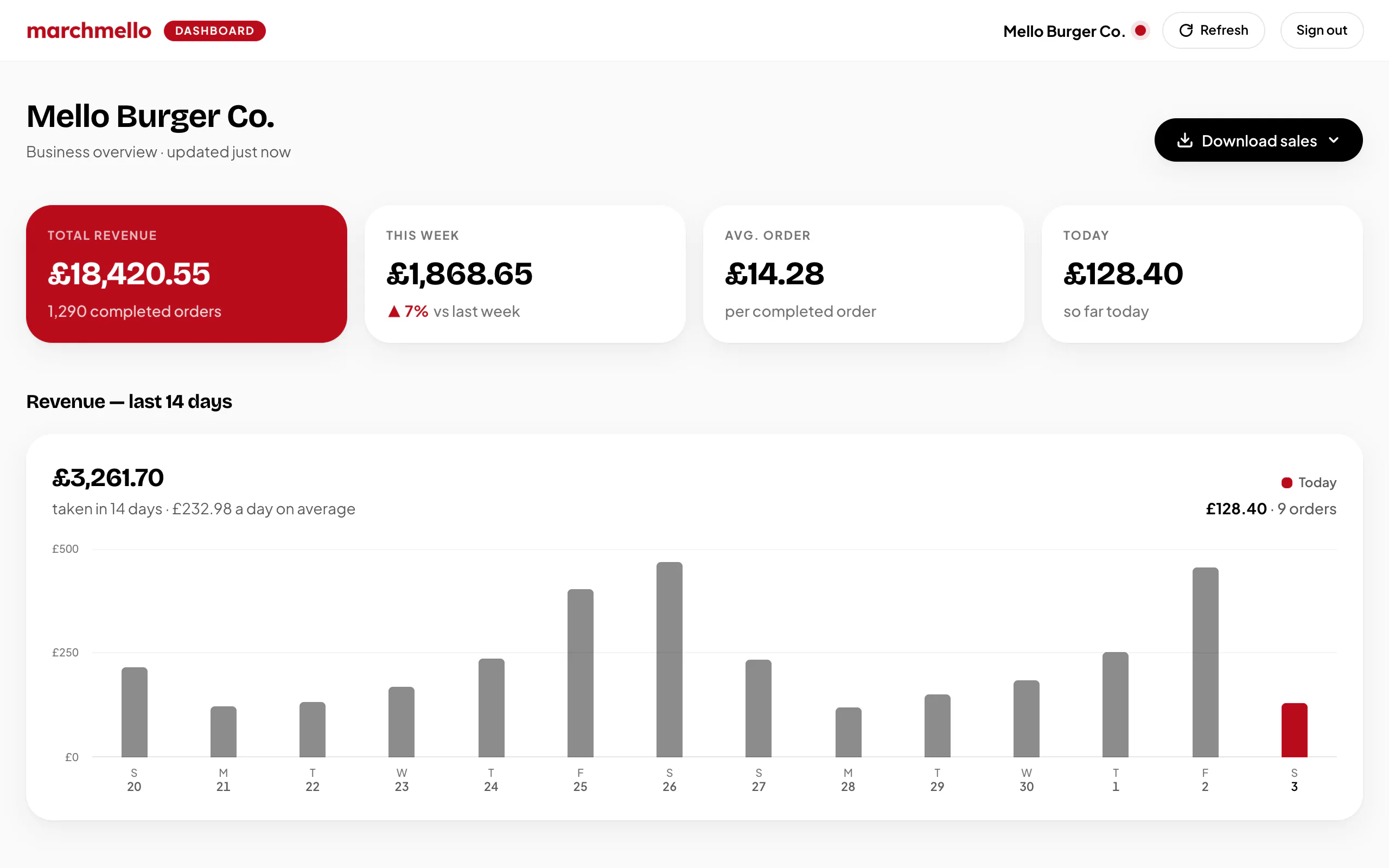
Business Dashboard
Your takings on one page, with online and counter sales kept apart. Scroll down for best sellers, busiest times, repeat customers, and the points customers have earned and spent with you.
- 1
Updates every minute
Leave it open and the figures update themselves every minute, or press Refresh. It's read-only, so nothing here can change an order.
- 2
Download your sales
Completed sales as a CSV for your books, for the last 7 or 30 days or 3 or 6 months, with online and counter subtotals, refunds and points.
- 3
Takings at a glance
Total revenue, the last 7 days against the 7 before, your average order and today so far, all from completed orders and after any counter refunds.
- 4
Last 14 days
Fourteen days of takings, with today in red. Point at or tap any day to see what it took and how many orders.
Sign in with your dashboard code, from the Business Dashboard card on the home page of the marchmello app. Registered without your documents? Sign in here to upload them.
The network effect
A loyalty pool bigger than any one venue
Traditional loyalty cards only reward your existing customers. On marchmello, every venue's customers are potential regulars of yours — their points can travel to your till. Publish a great deal, and the network notices.
Your loyalty deal
10% off for 15 points
Redeemable as a voucher at your checkout
A typical loyalty deal — you set the points, the reward, and can edit it whenever you like.
Six ways to reward loyalty
- Special Deal
- Your headline offer — a percentage off for points. You set how long it stays locked before you can change it again.
- Stamp Card
- The paper coffee card, done properly — you choose which items count and how many earn a free one. Every one a customer buys is a stamp once you serve the order, and their free one costs them nothing. No points needed, and change it whenever you like: a card a customer has already started never gets harder to fill.
- Discount Vouchers
- Money off an order in exchange for points — add as many as you like, from a small one that gets customers started to a big one that keeps them coming back. Always live, and yours to change or remove at any time.
- Members Only
- An offer only marchmello+ subscribers can redeem — the people who order most often.
- Reward Cards
- Buy one get one free, buy two get the next discounted, or spend £25 and choose something free. Customers buy the card with points and keep it until they use it.
- Spending Reward
- Set a spend target — say £30 within 30 days — and customers who reach it get your percentage off one order. Their spend then starts again from £0, and they can watch it build on your page. No points needed; it's used on its own rather than with a voucher or reward card.
Get started
Ready to join your high street's network?
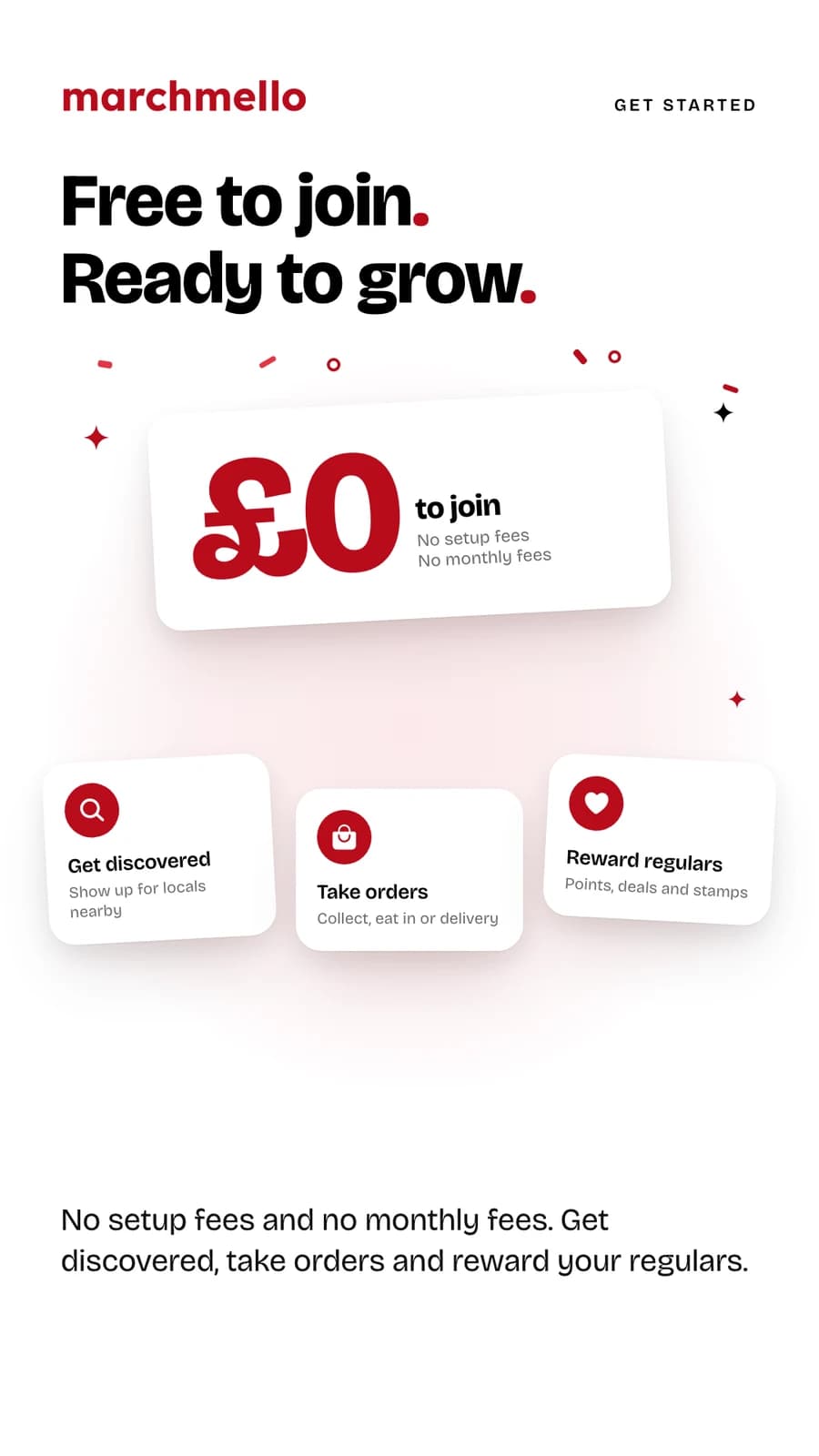
Download the marchmello app, choose “Register a business”, and you could be taking orders this week. No setup fees.
- 1Download the app and create a business account
- 2Add your venue details, menu and photos
- 3Connect Stripe to receive payments
- 4Go live, hand your staff the till and kitchen board codes, and start rewarding loyalty
Registering means ticking a box to accept our Terms of Service, and shared loyalty is part of them: your customers can take their points to other venues, and customers of other venues can bring theirs to you. Read the terms
Before you start, see how payouts and refunds work in our Business Refund & Cancellation Policy.